Introduction
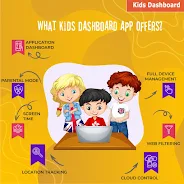
Kids Dashboard turns any Android phone or tablet into a secure restricted mode that lets device owners limit apps, calls and screen time; the app is free, fully featured and contains no ads. Kids Dashboard offers one-tap activation and remote device management from an online dashboard so account holders can lock down a device, schedule daily or weekly usage limits, view per-app activity and customize the home screen so only approved apps and features are accessible.
Key Features
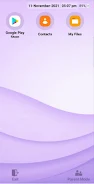
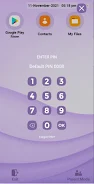
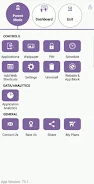
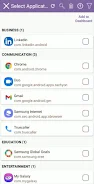
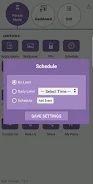
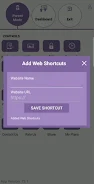
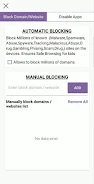
Kids Dashboard converts any mobile device into a configurable restricted mode where the device owner selects which apps are visible, can block access to app stores and restrict calling; the lockdown persists after reboot. Screen time controls include daily limits, weekly schedules, a visible countdown timer and the ability to extend time with a password. One-click transformation lets an administrator enter restricted mode instantly by launching the app. Analytics and AI provide per-app usage statistics with date filters to monitor how time is spent. Customization options allow setting wallpapers, adding custom text, enabling a clock or serial number display, changing icon backgrounds and showing exit or settings icons on the dashboard. Security and system configuration block access to Android settings and notifications, require an authorized password to open settings (enterable via a five-tap gesture) and support export/import of configuration files.
Benefits
Kids Dashboard is free, full-featured and contains no advertisements for an uninterrupted experience. Persistent lockdown remains active even after a device reboot, and the combination of one-tap activation with remote management simplifies control for administrators. Detailed per-app analytics help device owners make informed decisions about usage and app access, while extensive customization makes it easy to tailor the interface and controls to different needs.
Considerations
The app requires Device Administrator and Accessibility permissions, which some users may view as intrusive. Uninstalling can require disabling Device Administrator first, which may be confusing for less technical users. Blocking system settings and notifications can interfere with normal device behavior if the lockdown is not configured carefully, and the restrictions may be strict on devices shared by multiple users.
- No virus
- No advertising
- User protection
Information
- File size: 36.91 M
- Language: English
- Latest Version: 75.3
- Requirements: Android
- Votes: 173
- Package ID: com.tabnova.aidashboard
Screenshots















Explore More
Discover and download the latest system software of 2024 at high speed for free. Explore multidimensional rankings and references to help you choose the best system software. Rest assured, all software has undergone rigorous security checks and virus scans for your safety.
View more