
Introduction
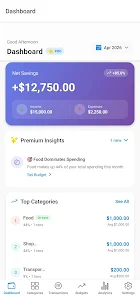
CoinWise is an intelligent personal finance companion that helps you track spending, manage budgets, and make steady progress toward savings goals with minimal friction. In everyday use CoinWise consolidates income and outgoings in a single timeline, captures receipt images with the camera, schedules recurring bills, and surfaces AI-driven insights that point out trends and opportunities to save. The app is suitable for individuals, families, and freelancers who want a clearer financial picture without sifting through spreadsheets.
Key Features
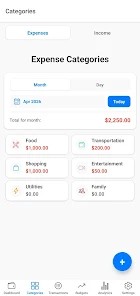
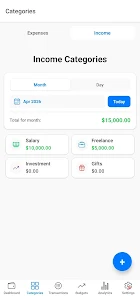
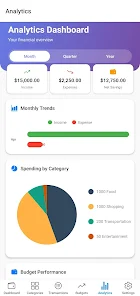
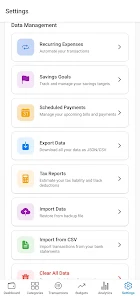
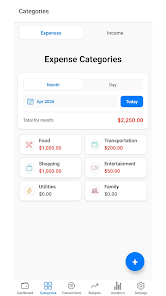
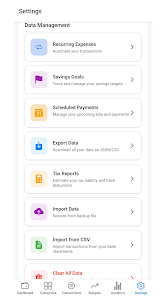
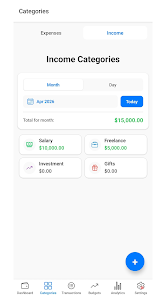
The core of CoinWise centers on fast transaction capture and smart categorization: manual entries are quick to add, receipt photos attach to records, and a learning classifier suggests categories as you use the app so reviews take seconds. Recurring bills and subscription detection reduce surprise charges by highlighting upcoming payments and subscriptions that recur each month. Predictive forecasts project balances and savings trajectories based on your historical activity, and anomaly alerts flag unusual transactions so you can investigate quickly. Export options let you save interactive reports as CSV or PDF for budgeting sessions or accountant review. Many of these capabilities run locally for speed and privacy, while optional cloud sync and encrypted backup are available in the premium plan to keep devices in sync.
Interaction and Controls
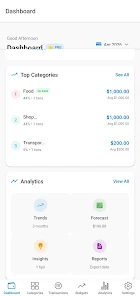
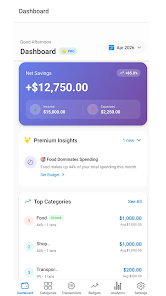
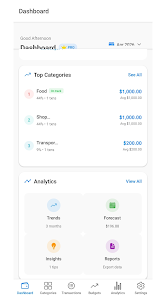
CoinWise uses simple, touch-first controls that match common Android patterns: a prominent quick-add button for fast expense entry, swipe gestures for archiving or categorizing items, and an intuitive dashboard with expandable cards to drill into months or individual accounts. Forms are kept minimal with smart defaults—amount, category, and merchant—so a few taps are often enough. Receipt capture uses the device camera with automatic cropping and attachment; you can also edit entries manually, merge duplicates, or correct category suggestions. On larger screens the layout adapts to a split view so you can compare budgets and transactions side by side.
Progression, Goals and Challenge Systems
Instead of gamified pressure CoinWise focuses on meaningful progression: set tiered savings goals and watch visual milestones progress as you add contributions. Habit tracking rewards consistency with streak indicators and achievement badges for hitting target-saving or budget adherence milestones, all designed to encourage sustained behavior. Built-in challenge systems let you create time-bound exercises—like a 30-day spending freeze on dining out or a weekly transfer target—to build momentum. Progress is tracked in the app so you can revisit past challenges, measure improvement, and adapt goals over time.
Customization, Visual Style and Level Structure
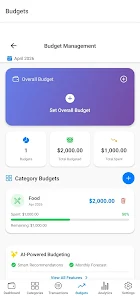
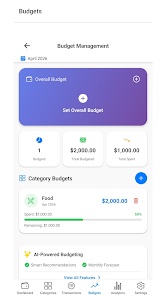
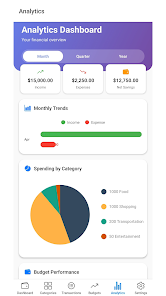
The visual design prioritizes clarity and calm: a neutral palette with high-contrast text, variable-density charts, and modular dashboard tiles that you can reorder to suit your priorities. Budgets are organized into levels—monthly, category, and envelope-style allocations—so you can view performance by week or month. Custom categories and tags let you tailor reporting to your life (for example, business vs. personal expenses), and saved filter presets speed up recurring reviews. Charts include simplified trend lines and interactive breakdowns to help non-expert users understand where money flows.
Replay Value, Accessibility and Offline Use
CoinWise maintains replay value through routine financial check-ins and evolving goals: monthly snapshots, rolling forecasts, and exported reports create reasons to return regularly. Accessibility features include adjustable font sizes, clear labeling for screen readers, and high-contrast modes to support a wide range of users. The app works offline for most basic functions—adding transactions, viewing recent history, and working on budgets—and will synchronize changes when an internet connection is available if cloud backup is enabled.
Security, Privacy and Limitations
Privacy and security are central: local encryption options, biometric lock for quick secure access, and encrypted cloud backup (part of the premium tier) protect data. If you choose to keep data strictly on-device, remember to manage your own backups to avoid accidental loss. A few advanced capabilities—such as unlimited custom categories, multi-device sync, and enhanced analytics—are reserved for the premium subscription, and users evaluating the free tier should consider whether those premium features will be necessary for their workflow.
What to Expect from Installation and Support
Installation is lightweight and the onboarding walkthrough helps you connect accounts or import CSV files and set an initial budget in minutes. In-app help includes contextual tips, a searchable FAQ, and contact options for support when something needs clarification. Regular updates refine the categorization model and interface based on user feedback so CoinWise continues to evolve while keeping the core promise: clearer spending visibility, easier budgeting, and practical tools to reach your financial goals.
- No virus
- No advertising
- User protection
Information
- File size: 88.00 M
- Language: English
- Latest Version: 1.0.14
- Requirements: Android
- Votes: 383
- Package ID: com.fajostech.expensetracker
- Developer: FajosTech
Screenshots
















Explore More
Every photo is inseparable from a good camera software to make every photo of yours beautiful. The latest and most complete camera app is waiting for you to download, and there are so many high-quality contents waiting for you to experience, you will definitely not be able to put it down.
View more