
Introduction
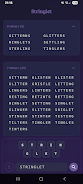
Stringlet is a fast, offline word-finding utility designed for anyone who wants quick, reliable suggestions when playing letter-based puzzles, from casual mobile games to board play at home. The app lets you type or paste the letters you have, include wildcard tiles with the ? character, and immediately returns every valid word you can form from its comprehensive built-in word list. With a focus on speed and a clean, uncluttered interface, Stringlet helps you scan options, lock letters in specific positions, disable tiles you do not want to use, and drag letters to try alternate arrangements without any network connection.
Key features and how they work
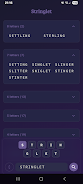
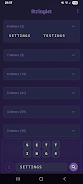
At its core, the app performs instant offline searches so results appear as soon as you finish entering letters, which keeps each lookup private and reliable regardless of signal. Wildcard support uses the ? character to represent any single unknown letter, and the results are grouped by word length so longer options show up first and are easier to spot. The interface is deliberately simple: tap a tile to lock it in place for position-based searches, tap again to unlock, or disable tiles you do not want to include. Drag-and-drop reordering lets you experiment with letter order quickly, and the display updates without delay as you change the selection.
Controls, input and user experience
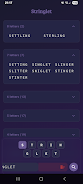
Input is straightforward and flexible. You can type letters directly, paste a set from another app, or edit the tile set with single taps. Locking a tile enforces that letter at a given position which is useful for crosswords and board situations where some letters are fixed. Disabling a tile removes it from consideration without deleting it from your working set, so it is easy to toggle possibilities on and off while you search. The drag gesture is responsive and designed for touch-first use, with larger tiles and spacing to reduce accidental moves on smaller screens.
Practical workflow and typical use cases
Stringlet is useful during live games such as Scrabble-style play, when you need a quick check of legal words, and for puzzle solvers who want to explore options for a partially filled grid. It also serves as a study tool for players who want to improve vocabulary and pattern recognition; repeated use helps you spot common high-value letter combinations faster. Because the app runs offline, you can consult it in situations where internet access is limited or you prefer not to submit your letters to an online service. The fast, incremental search model makes it easy to iterate through what-if scenarios without interrupting a live game.
Visual style, accessibility and customization
The design emphasizes clarity and readability over flashy visuals, with high-contrast tiles and clear typography so letters remain legible at a glance. Tile size and spacing are chosen to make tapping and dragging comfortable on a range of screen sizes, and the straightforward color scheme keeps the focus on results. While the interface is intentionally minimal, the app offers practical affordances like locking, disabling, and drag reordering to adapt to individual playstyles. These choices aim to balance a compact layout with accessibility considerations for users who benefit from larger touch targets and clear visual feedback.
Limitations, tips and replay value
There are a few design trade-offs to be aware of. Wildcards must be entered using the ? character only, which keeps parsing predictable but means there is no alternate wildcard syntax. Stringlet focuses on finding valid words and does not provide gameplay scoring, in-app tutorials, or automated move suggestions based on board state; it is intended as a reference and search tool rather than a full game helper with scoring analytics. For best results, use concise inputs, lock letters when you need fixed positions, and toggle disabled tiles to narrow candidate lists. Over time, the app becomes a handy reference that supports repeated practice and quicker decision-making.
Offline behavior, privacy and compatibility
Because all processing happens on the device, searches remain immediate and private, with no account or cloud synchronization required. The app is optimized for quick lookups and low resource usage so it stays responsive on budget devices and older phones. Compatibility is broad across modern Android versions, and the small footprint makes it a convenient tool to carry on the go. If you value speed, privacy, and a focused, tactile search experience for word puzzles, Stringlet provides a dependable offline option that stays out of the way while helping you find the best words quickly.
- No virus
- No advertising
- User protection
Information
- File size: 29.65 M
- Language: English
- Latest Version: 1.0.0
- Requirements: Android
- Votes: 446
- Package ID: com.samyukti.stringlet
- Developer: Geordee George
Screenshots

-
1

Vlog Video Editor Maker: VlogU Mod
Download -
2

SnapTube – YouTube Downloader HD Video Mod
Download -
3

SuperVPN Fast VPN Client Mod
Download -
4

Thunder VPN – Fast, Safe VPN Mod
Download -
5

Secure VPN-Safer Internet Mod
Download -
6

ApkShare Mod
Download -
7

SOSO – Super Fast VPN Mod
Download -
8

LinkVPN Unlimited VPN Proxy Mod
Download








Explore More
We provide a wide range of commonly used software for free and secure download. All software has undergone thorough security and virus scans to ensure a safe download experience.

Real Beauty Loyalty

Chinese cooking recipes game

Drift

Tierbuch Hühner

CookingTimerPro

FinSwift

LibLib

Soonly: Ideas & Notes






















