Introduction
Chord Scale Studio helps jazz musicians quickly identify which scales fit complex jazz chords. Chord Scale Studio maps chords to compatible scales in seconds, giving clear visual guides and practical voicings. Chord Scale Studio is compact and aimed at students and gigging performers who want actionable options for improvisation and reharmonization rather than dense theory. The opening screen is focused: enter a chord or short progression and the app returns matching scale choices, suggested voicings, and concise explanations so you can practice or prepare a set with minimal interruption.
How it works
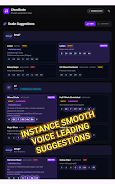
Enter chord symbols using the simple text input or select from a curated list of common jazz voicings. The engine analyzes chord tones, alterations, and extensions to suggest compatible scales and modal colors. Results include suggested fingerings or voicings and a visual highlight of the chord tones inside the scale so you can see which notes are emphasized when improvising. The app is intended as a quick reference during practice, rehearsal, and live performance rather than a full-blown theory course.
Key features
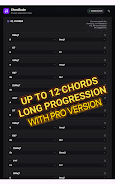
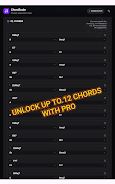
Instant scale lookup: get compatible scales for a single chord or a short progression in seconds, with a clear explanation for each match. Minimalist interface: information is displayed with priority given to playable options and visual cues so you can remain focused on the music. Educational support: brief notes on reharmonization ideas and improvisational approaches accompany the scale suggestions to make the connections practical. Free vs Pro: the free edition includes essential jazz chord voicings and supports progressions up to three chords; upgrading to Pro expands progression length up to 12 chords and unlocks additional voicings and explanatory detail. Lightweight and fast: optimized to open quickly, work offline, and run smoothly on a range of devices.
Controls and workflow
Input is straightforward: type a chord name, pick from a dropdown of common chords, or tap context-aware suggestions that appear as you type. Navigation follows a linear practice workflow—chord entry, scale candidates, voicing examples, and a short explanatory note—so you can move through lookup tasks in a few taps. The interface supports pinch-to-zoom on diagrams and scalable text for easier reading on stage. Settings allow you to prefer guitar or piano voicings where applicable, letting you tailor the output to your instrument.
Practice, progression, and study
Use the app to structure practice sessions that move from single-chord drills to short progressions and then to extended sequences if you choose Pro. The progression length settings let you control complexity: start with triads and simple seventh-chords, then include altered dominants and extended harmony as you progress. Repeatable lookup and quick visual feedback make it easy to build muscle memory and aural recognition without memorizing long lists of theoretical rules.
Visual style and customization
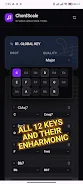
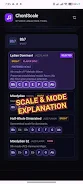
The design emphasizes clarity: high-contrast diagrams, concise notation, and minimal text keep the focus on playable information. Visuals include chord diagrams and a highlighted scale map that shows chord tones relative to the scale, so you can immediately identify tensions and resolutions. Customization options let you choose color themes, change the displayed clef, and toggle between shorthand and expanded chord naming conventions to match your reading preference.
Accessibility, offline use, and performance
Accessibility is considered with adjustable font sizes, simplified layouts for on-stage readability, and color options that aid contrast. The app is designed to work offline so you can use it in rehearsal spaces or venues without reliable internet access. Performance is tuned to minimize load time and reduce battery use, making it practical to keep the app available during long practice sessions or gigs.
Audience and limitations
Chord Scale Studio is tailored for jazz students, educators, and professional performers who need a fast, practical tool to translate chord symbols into improvisational choices. It focuses on jazz chord–scale relationships and therefore may be less useful for musicians working exclusively in non-jazz genres. The free version limits progressions to three chords; players wanting longer, more complex sequences should evaluate the Pro upgrade.
Development and support
Designed by a professional jazz guitarist and educator, the app prioritizes real-world usability, offering usable voicings and clear explanations grounded in stage and teaching experience. Regular updates refine voicing choices and interface improvements based on user feedback, and in-app help pages provide quick guidance on input conventions and interpreting suggested scales.
- No virus
- No advertising
- User protection
Information
- File size: 34.50 M
- Language: English
- Latest Version: 1.4.108
- Requirements: Android
- Votes: 391
- Package ID: com.jackritchordscale.lite
- Developer: Jackrit
Screenshots


















Explore More
The Map Navigation Software Collection features a wide range of navigation apps, addressing the issue of friends being unsure of their way when heading out. These apps provide precise navigation for users and adjust routes based on real-time traffic conditions to ensure users reach their destination quickly.

Chinese cooking recipes game

Time Sphere

Bruh Sound Button

PicklePlay

TruckTap

PIB JANDIRA

Remote Control for TV

НейроЧат