
Introduction
ApowerMirror is a versatile screen mirroring app that allows you to seamlessly cast your Android phone to your PC, Mac, Smart TV, or even another Android device with audio. With the ability to mirror and control your phone from another phone or tablet, this app is perfect for sharing videos, playing games, or sharing files with friends and family. The app also offers the unique feature of AirCast, allowing screen mirroring between devices on different networks. Whether for personal use, business meetings, online classes, live streaming, or presentations, ApowerMirror is your go-to solution for all your screen mirroring needs.
Features of ApowerMirror:
Full Screen Display and Audio Synchronization
ApowerMirror allows you to cast Android to PC with audio, achieving full audio and video synchronization while screen mirroring. This feature enhances the viewing experience when streaming videos, displaying apps, sharing meeting content, or playing games from PC or Mac in full-screen mode.
Remote Control and Accessibility
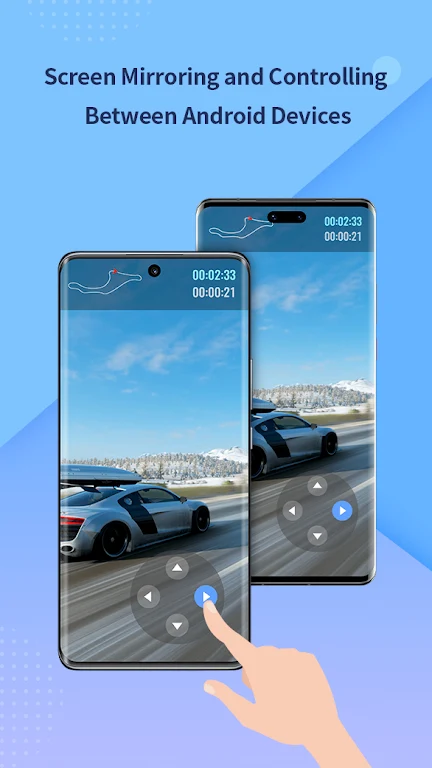
With ApowerMirror, you can mirror and control your Android device from another Android device or PC. The app also offers an "Accessibility" API to help you use the reverse control feature efficiently, making it easier to troubleshoot phone issues or demonstrate phone functionality in corporate settings.
Multi-screen Mirroring and AirCast Feature
The app supports mirroring up to 4 devices simultaneously without any delay, allowing you to multitask and improve efficiency in your daily life. The AirCast feature enables screen mirroring between devices on different networks, making it convenient to mirror phone to phone, cast phone to PC, or stream PC to phone.
Playing Tips for ApowerMirror:
Enable Accessibility Permission
To fully utilize the reverse control feature in ApowerMirror, make sure to grant the app "Accessibility" permission. This will enable you to control your phone from another device and effectively troubleshoot phone issues or demonstrate features to others.
Take Advantage of Full Control Features
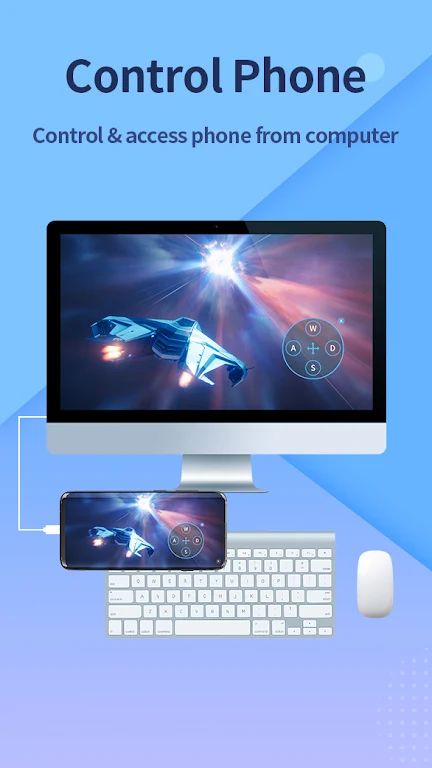
When screen mirroring Android to PC/Mac, utilize the mouse and keyboard to take full control of the screen. This allows you to share presentations, watch movies, or play games on a bigger screen with ease.
Explore Multi-screen Mirroring Options
Utilize the multi-screen mirroring feature in ApowerMirror to mirror up to 4 devices simultaneously. This feature is ideal for multitasking or sharing content with multiple devices at the same time.
Conclusion:
ApowerMirror offers a comprehensive solution for screen mirroring and remote control between Android devices, PC, and Mac. With features like full screen display, audio synchronization, remote control, multi-screen mirroring, and the AirCast feature, the app provides a seamless experience for various screen mirroring occasions. Whether for personal use, business meetings, online classes, live streaming, presentations, or entertainment purposes, ApowerMirror is a versatile and convenient tool to enhance your digital productivity and entertainment experience. Download ApowerMirror now and discover the endless possibilities of screen mirroring.
- No virus
- No advertising
- User protection
Information
- File size: 50.60 M
- Language: English
- Latest Version: 1.8.12
- Requirements: Android
- Votes: 449
- Package ID: com.apowersoft.mirror
- Developer: Apowersoft
Screenshots














Explore More
You'll Love the Complete Collection of Everyday Life Apps! Today's compilation is essential for your daily life, offering a plethora of excitement. Don't wait any longer—pick and choose the apps you need right away!
View more












You May Also Like





Comment
-
it "works" it's also scummy wants your data, and wants to charge you for it's service that honestly I'm surprised computers don't just come equipped with already. there are definitely other and cheaper ways to do this.2025-02-18 08:05:50
-
This app worked for me for a long time, however, it turns out you don't need an app on Android phones to mirror your screen on computers! I'm not sure why APowerMirror requires that, but scrcpy is a free, open source program (that only runs on the controlling computer) that does what APowerMirror does, except better.2025-02-17 22:25:11
-
This is my favourite app for android screen mirroring but it's USB cable connection dose not work properly so please fixed this issue with a new update .2025-02-17 08:38:11
-
I sent an email to the team and they fixed the problem immediately! Very impressed with the support staff!2025-02-17 02:54:28
-
This is my favorite application for Android screen mirroring. It is very easy to use, no complexity.2025-02-16 22:04:03
-
Best features amonst all tried and tested. The connectivity is very good in both USB and Wifi options. Of course you cannot connect with the same Wifi hotspot from the mobile you are connected. It has to be a third common wifi. Hope they could work on this. The Editing features work very well like deleting messages from Mobile, etc. Overall a good experience till now.2025-02-16 17:36:19