Introduction
AVAMENT-CAM is a field documentation app that helps teams capture, organize and track project progress using photo evidence tied to precise locations. Designed for engineers, project managers, quality inspectors and contractors, AVAMENT-CAM links each image to a QR code–identified position within a building, floor or room hierarchy so records remain structured and auditable. The app supports batch uploads, on-device storage with automatic sync when online, secure shareable links and a clean interface built for real-world site conditions. If you need reliable, location-aware photo documentation and smoother coordination between field and office, AVAMENT-CAM delivers those core capabilities.
Key Features
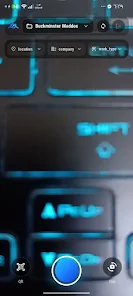
⭐ Capture and organize photos directly in AVAMENT-CAM, add notes, descriptions and classifications, and upload multiple images at once to speed up site work.
⭐ QR code-based location tracking assigns precise positions to each photo and supports hierarchical structures like building, floor and room.
⭐ Project and work management lets you handle multiple companies, categorize work types and use filters to find contractor- or task-specific images quickly.
⭐ Offline mode stores data locally while you work in low-coverage areas and automatically syncs when a connection is restored.
⭐ Secure sharing creates password-protected, expiring links so images can be shared with controlled access.
⭐ A simple, modern interface with multi-language support and dark mode keeps the app usable in varied field conditions.
Advantages
✅ Strongly structured records link photos to exact locations, improving accountability and auditability on projects.
✅ Faster on-site workflows thanks to batch uploads, intuitive organization and QR-driven navigation.
✅ Better collaboration between field and office through synced data and secure shareable links from AVAMENT-CAM.
✅ Works reliably in remote locations thanks to offline storage and automatic synchronization when back online.
Disadvantages
❎ Requires QR codes to be placed and maintained on-site so location tagging works as intended.
❎ Generating and sharing secure links requires an internet connection, so some sharing actions can't be completed entirely offline.
❎ Initial setup of location hierarchies and project categories may take time before field teams reach peak efficiency.
- No virus
- No advertising
- User protection
Information
- File size: 27.00 M
- Language: English
- Latest Version: 1.0.0
- Requirements: Android
- Votes: 435
- Package ID: com.avament.cam
- Developer: AVAMENT, Inh. Ferhad Hesso
Screenshots
















Explore More
Office software is essential for work and study. The most popular and well-known ones are Microsoft Office and Kingsoft WPS, which are word processing software. However, the concept of office software is not limited to just these. Office software includes various types such as collaboration, communication, and note-taking. With so many options, which office software is the best? Here, we recommend some latest essential office software rankings for everyone.
View more