Introduction
Autenticador provides a simple, secure way to add time-based one-time passwords (TOTP) to your accounts, giving you an additional verification step that works alongside existing passwords. The app generates a short numeric code at regular intervals that you enter as a second factor when signing in to websites and mobile apps. Lightweight and focused solely on producing transient codes, Autenticador is designed to minimize setup friction while increasing protection against common threats such as replay attempts and automated brute-force attacks.
Key features and practical benefits
The core function of the app is to produce time-limited numeric codes that act as a second factor during two-step login. Because the codes expire quickly, attackers cannot reuse captured codes, and automated guessing is constrained by the brief validity window. The interface is intentionally uncluttered so the numeric code, its label, and the remaining time are immediately visible, which reduces input errors during sign-in. Autenticador complements existing authentication setups rather than replacing them: it works with the two-step configuration provided by each online service and does not require changes to your passwords or account providers.
How it works
When you enable two-step verification on a website or app, that service provides a setup token or QR information during its own security flow. Autenticador reads or accepts that setup information and begins generating one-time codes that match the service’s expected values. The codes are time-based and calculated locally on your device, so once an account is configured the app does not need an internet connection to create valid codes. This local computation means Autenticador remains useful when you are offline or traveling without data access.
User experience and controls
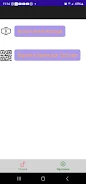
The user interface emphasizes clarity: each account is displayed with a short label and the current numeric code alongside a visible countdown timer. Tapping a code copies it to the clipboard or highlights it for quick entry in the login screen, and long-pressing an entry reveals account details and setup information. Adding an account follows the standard two-step setup flow of the service you are securing; Autenticador accepts the setup token you are provided so the setup remains familiar and consistent with the service’s instructions. Because the app focuses on one task, controlling and reading codes is fast and predictable for everyday use.
Security, recovery guidance, and offline behavior
Autenticador is built around established TOTP principles: short-lived numeric values calculated from a shared secret and the current time. Because code generation happens locally, the app does not transmit codes to remote servers for routine use. To reduce the risk of lockout, keep the account recovery options offered by the services you protect—these often include printed recovery codes or alternative verification methods. Autenticador is intended as the device-side generator of second factors and should be used with the same caution as any authentication device: protect your device physically and consider platform-level screen-lock protections.
Accessibility, display and compatibility
The app prioritizes legibility and ease of use: large numeric displays, clear labels, and contrasting timers make it straightforward to read codes on a variety of screen sizes. Controls follow standard mobile patterns so people who use screen readers or assistive touch features will find the layout predictable. Because the codes are numeric and short, they are easy to type into most login forms and accessible to a broad range of users and devices.
Getting started, tips and maintenance
Getting started with Autenticador is typically a three-step flow: enable two-step verification on the service you want to protect, follow that service’s setup instructions to obtain the setup token, and add the account to the app using the provided information. After setup, verify the code when prompted so you confirm synchronization. Periodically review the accounts listed in the app and retain any backup or recovery codes offered by your services in a safe place. Because Autenticador focuses on reliable code generation with minimal overhead, it fits into existing security routines without complicating them and stays ready for everyday sign-ins.
- No virus
- No advertising
- User protection
Information
- File size: 33.37 M
- Language: English
- Latest Version: 2.1
- Requirements: Android
- Votes: 135
- Package ID: com.cuar.rpn.autenticador
- Developer: Rigoberto Perez Nieves
Screenshots



-
1

Vlog Video Editor Maker: VlogU Mod
Download -
2

SnapTube – YouTube Downloader HD Video Mod
Download -
3

SuperVPN Fast VPN Client Mod
Download -
4

Thunder VPN – Fast, Safe VPN Mod
Download -
5

Secure VPN-Safer Internet Mod
Download -
6

ApkShare Mod
Download -
7

SOSO – Super Fast VPN Mod
Download -
8

LinkVPN Unlimited VPN Proxy Mod
Download








Explore More
We provide a wide range of commonly used software for free and secure download. All software has undergone thorough security and virus scans to ensure a safe download experience.

Real Beauty Loyalty

Chinese cooking recipes game

Drift

Tierbuch Hühner

CookingTimerPro

FinSwift

LibLib

Soonly: Ideas & Notes