Introduction
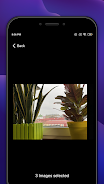
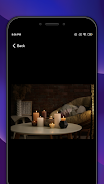
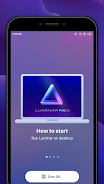
Share with Luminar Neo makes it simple to send photos from your Android device to Luminar Neo for editing. Use the Android share menu to select single or multiple images, choose whether to keep original files or export resized copies, and include metadata for consistent edits.
Share with Luminar Neo workflow
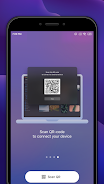
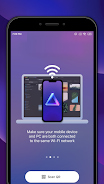
Select images in your gallery or file manager, tap Share, and pick Share with Luminar Neo. The app prepares files according to your chosen format and metadata settings, then hands them off to the selected app or service that receives files for Luminar Neo editing.
Key features of Share with Luminar Neo
- Use the Android share menu to send single or multiple photos
- Preserve EXIF and IPTC metadata when exporting
- Choose export formats such as JPEG, PNG, or keep original files
- Resize or convert images before sending to fit your workflow
- Simple batch processing to prepare many photos at once
Requirements: a target app or service capable of receiving image files for use in Luminar Neo. This app focuses on preparing and forwarding images; it does not modify or create edits inside Luminar Neo itself.
- No virus
- No advertising
- User protection
Information
- File size: 10.92 M
- Language: English
- Latest Version: 1.1.10.336
- Requirements: Android
- Votes: 467
- Package ID: com.skylum.luminarshare
- Developer: Skylum Software
Screenshots



















Explore More
Explore the Latest Free Downloads of Top Photo Apps in 2024, Featuring Multi-Dimensional App Rankings and Recommendations for the Best Photo Applications. All apps are virus-free, safe and secure for your peace of mind.

Chennai Super Kings

Fruits and Vegetables for Kids

TriviaMaker

HTC Net

Prophecology

PearDrop

Cultura y Turismo Qro

Remote Control for TV